How Billing Software Improves Invoice Management and Payment Tracking
15 September 2026
Managing invoices and tracking customer payments can become increasingly difficult as a business grows. Creating invoices manually, checking payment status, following up on overdue amounts, and maintaining financial records can consume valuable time and increase the risk of errors.
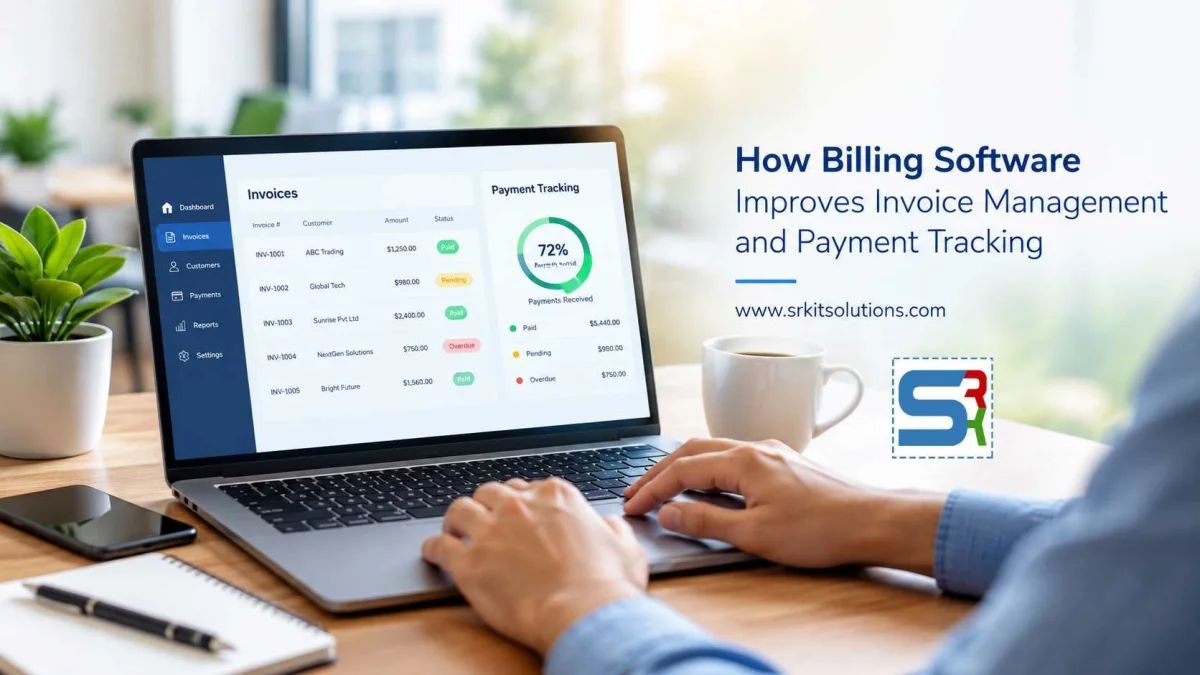
Modern billing software brings these activities together in a centralized system. It helps businesses create invoices, monitor payments, manage customer information, and access billing reports from one platform.
For businesses looking to improve their financial workflows, custom billing software can also be designed around their specific processes and requirements.
What Is Billing Software?
Billing software is a digital application used to manage business invoicing and payment-related activities. Depending on the business, it can include features such as:
 Customer management
- Invoice creation
- Product and service management
- Tax and discount calculations
- Payment tracking
- Recurring invoices
- Invoice status management
- Outstanding payment tracking
- Financial reports
- User and access management
Instead of maintaining separate spreadsheets and documents, businesses can manage billing information through a centralized application.
1. Faster Invoice Creation
Preparing invoices manually can take significant time, especially when a business generates a large number of invoices.
Billing software can store customer, product, service, pricing, and tax information. Users can select the required details and generate invoices quickly.
This reduces repetitive data entry and allows employees to spend more time on customer service and other business activities.
2. Better Invoice Organization
As the number of customers and invoices increases, finding a particular invoice can become difficult when information is stored across spreadsheets, email attachments, and folders.
Billing software provides a centralized invoice database where users can search and filter invoices based on information such as:
- Customer
- Invoice number
- Invoice date
- Payment status
- Due date
- Amount
This makes invoice management more structured and accessible.
3. Real-Time Payment Tracking
Knowing which invoices have been paid, partially paid, or are still outstanding is essential for managing business cash flow.
Billing software can maintain payment statuses for each invoice. A business can quickly identify:
Paid: Payment has been received.
Partially Paid: Only part of the invoice amount has been received.
Pending: Payment is still expected.
Overdue: The payment has passed its due date.
Having this information in one dashboard can make payment monitoring much easier.
4. Reduce Billing Errors
Manual billing can result in common mistakes such as incorrect quantities, wrong prices, calculation errors, duplicate invoices, or incorrect customer information.
Software can automate calculations and use predefined business rules. This helps reduce avoidable errors during invoice generation.
Businesses can also introduce validation rules to ensure important information is completed before an invoice is created.
5. Easier Payment Follow-Up
Following up with customers about outstanding invoices can become a repetitive administrative task.
A billing system can identify invoices approaching their due dates or invoices that have already become overdue. Depending on the system design, automated notifications can also be used to remind customers about pending payments.
This gives accounts teams a clearer process for managing receivables.
6. Improved Cash Flow Visibility
A billing system can provide a clearer view of outstanding receivables.
For example, management may want to know:
- How much has been invoiced this month?
- How much has been collected?
- How much remains outstanding?
- Which invoices are overdue?
- Which customers have pending payments?
Dashboards and reports can bring these figures together, helping businesses monitor their billing activity more efficiently.
7. Recurring Billing Automation
Businesses that provide subscriptions, maintenance contracts, hosting, memberships, or other recurring services may need to generate invoices regularly.
Billing software can support recurring billing workflows where invoices are generated according to predefined schedules.
This reduces the need to manually create the same type of invoice every month or billing cycle.
8. Centralized Customer Information
Customer details are often closely connected to billing information.
A billing application can maintain customer profiles containing information such as:
- Customer name
- Contact details
- Billing address
- Tax information
- Invoice history
- Payment history
- Outstanding balance
Having customer and invoice information in one system makes it easier for authorized employees to access the information they need.
9. Useful Billing Reports
Reports help businesses understand their invoicing and collection activities.
Depending on the requirements, billing software can provide reports such as:
- Sales and billing summaries
- Outstanding invoices
- Overdue invoices
- Customer payment history
- Monthly invoice reports
- Tax-related reports
- Payment collection reports
Businesses can use these reports to monitor performance and identify pending collections.
10. Role-Based Access
Not every employee needs access to every billing function.
A custom billing application can provide role-based permissions. For example, administrators may have complete access while accounts staff can manage invoices and payments without accessing system configuration.
This provides greater control over sensitive business information.
11. Better Record Keeping
Digital invoice records are easier to search, organize, and retrieve than paper-based records.
Businesses can maintain invoice and payment histories within a centralized database and provide authorized users with access to historical information when required.
Depending on the application, invoices can also be generated as downloadable documents and shared with customers through appropriate communication channels.
12. Custom Billing Software for Different Businesses
Every business has its own billing process.
A service company may require project-based invoicing, while a subscription business may need recurring billing. A distributor may need product and quantity management, while an educational organization may require fee collection and student records.
Custom billing software can be developed to match these specific workflows instead of forcing the business to change its existing processes.
Possible integrations can include:
- Payment gateways
- Accounting systems
- CRM platforms
- Customer portals
- Email services
- Tax systems
- Business management applications
Billing Software and Business Growth
A billing process that works for a small number of customers may become difficult to manage as the business grows.
More customers usually mean more invoices, more payments, more follow-ups, and more financial records.
Automating repetitive billing activities can help businesses build a more organized process that can scale with increasing transaction volumes.
Choosing the Right Billing Software
Before selecting or developing billing software, businesses should consider their actual requirements.
Important factors include:
- Number of customers and invoices
- Required billing workflows
- Tax requirements
- Payment methods
- Recurring billing needs
- User roles and permissions
- Reporting requirements
- Integration requirements
- Data security
- Backup and scalability
- Mobile and web accessibility
The right solution should simplify existing processes rather than introduce unnecessary complexity.
Custom Billing Software Development by SRK IT Solutions
SRK IT Solutions develops custom web applications for businesses with specific operational requirements.
A custom billing application can be designed around your company's invoice creation, customer management, payment tracking, reporting, user access, and integration requirements.
Whether you need a simple invoicing application or a more comprehensive billing management platform, a software solution can be structured according to your business workflow.
Conclusion
Billing software can transform invoice management from a manual administrative process into a more organized digital workflow. Faster invoice creation, centralized records, payment tracking, automated reminders, reporting, and role-based access can help businesses manage their billing operations more efficiently.
For growing businesses, custom billing software can provide an opportunity to build billing workflows specifically around their operational needs and future requirements.
If your business is considering a custom billing application, SRK IT Solutions can help design and develop a solution tailored to your business processes.
Blog Categories